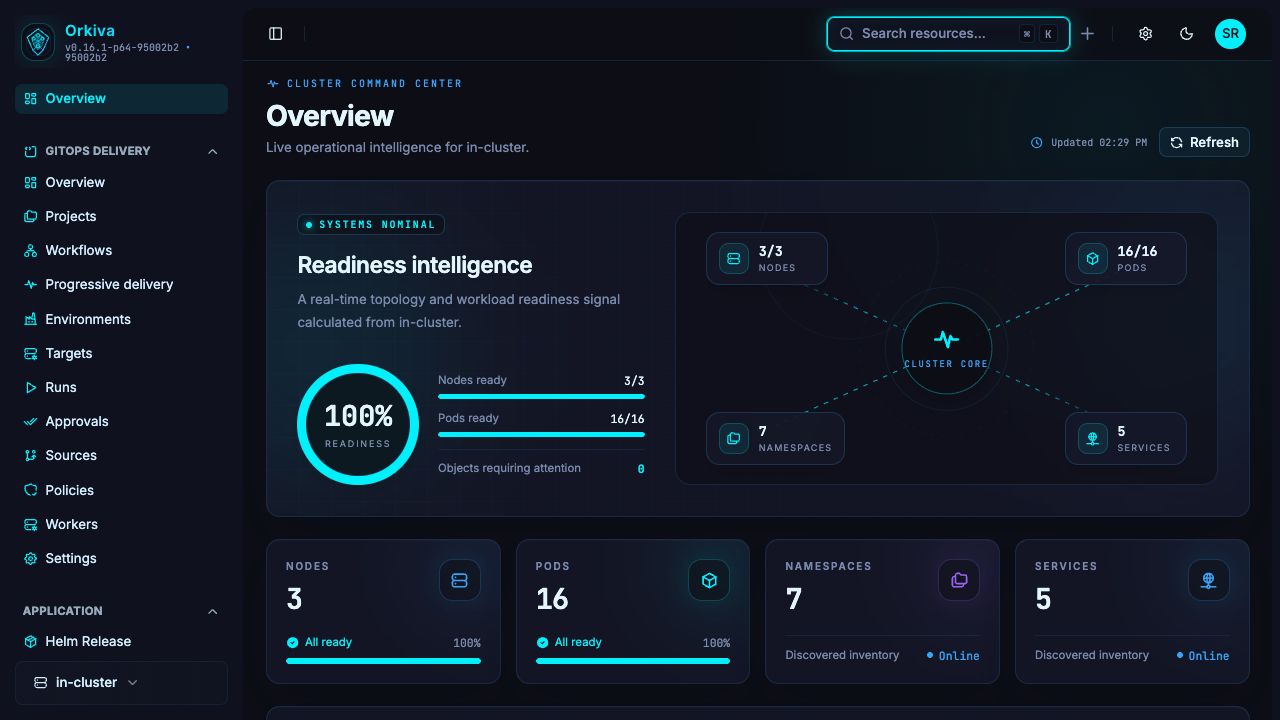
Bring cluster operations and GitOps delivery together. Investigate
workloads, review changes and give your team a shared
console—hosted on infrastructure you control.
Customer-hosted softwareUpdates & support available
ORKIVA / OPERATIONS CONSOLEDEMONSTRATION
From cluster overview to workload detail.
ObserveClusters & resources
InvestigateLogs & events
DeliverPlans & approvals
Your environment Choose where it runsYour team Define who can actYour process Review before deploymentYour schedule Decide when to upgrade
01 / PLATFORM CAPABILITIES
The work of Kubernetes. In one operating space.
From routine resource checks to deployment investigations, Orkiva
keeps the next action close to the information you need.
01 / VISIBILITY
Cluster operations
Find your way through the cluster.
Navigate clusters and namespaces, search resources, and inspect
the objects behind your applications. Move from an overview into
the resource that needs attention.
Connect sources and targets, inspect rendered plans, and follow
policy checks and approval gates. Keep the source revision and
deployment result in context.
Explore services, configuration, storage and custom resources
alongside workloads. Inspect resource details and relationships
without losing the cluster context.
Project configuration view; this capture shows inputs, not
render output.
02 / RENDER
Turn source configuration into resources.
Rendering prepares Kubernetes resources from the configured
project. Review project settings before planning what will
change in the target environment.
Actual resource-change summary from a demonstration run.
03 / PLAN
Inspect the proposed changes.
Read the resource-level plan before allowing the run to proceed.
Investigate additions, updates, risk indicators and resources
with no proposed change.
Orkiva is software your team installs and operates. Choose your
own servers or cloud infrastructure, define the network boundary,
and connect your Kubernetes clusters.
Understand what you install, what your team manages, and how to get
started.
Is Orkiva a hosted cloud service?+
Orkiva is customer-hosted software. You install and operate it on
infrastructure you control. Your hosting provider and cluster
locations are your choices.
Does Orkiva provide servers or create a private cloud?+
Orkiva connects to Kubernetes clusters and gives your team a web
console for operating them. Your servers, Kubernetes platform and
underlying networking remain part of your own infrastructure.
What is included in the commercial package?+
Software delivery, access to future versions and support are
defined in your purchase agreement. Contact sales@orkiva.tech to
discuss your environment and the scope you need.
What do we configure before production use?+
Plan persistence, TLS, authentication, cluster credentials,
permissions, backups and upgrades. Follow the deployment
documentation and validate the setup in your own environment.
Are the screenshots from the product?+
Yes. They show an Orkiva demonstration installation. Resource
names, counts and run states are demonstration data, not customer
results.
Where can we find technical detail?+
The documentation covers installation, Kubernetes resource
operations, GitOps Delivery, administration and developer
workflows. Contact support@orkiva.tech for help within your agreed
support scope.
YOUR NEXT OPERATING SPACE
Bring your Kubernetes operations together.
Tell us about your clusters, your team and how you want to deploy
Orkiva.
 orkiva